
How to Quick Reorder
At Health Palace website you can easily re-order any product you wish. Just follow the next simple steps:
1) Log in to your account and click on the option “View Order Status” on the displayed menu.

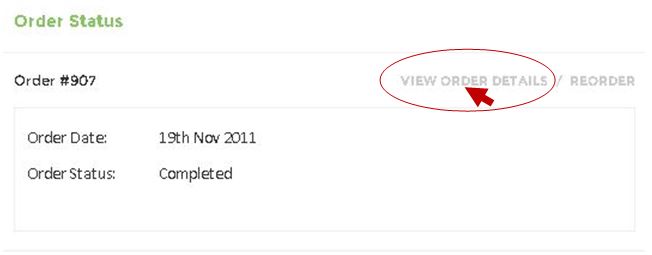
2) All the orders that you have placed at Health Palace wil be displayed. Click on the button “View Orders Details” of the order wich contains the product(s) you want to re order.
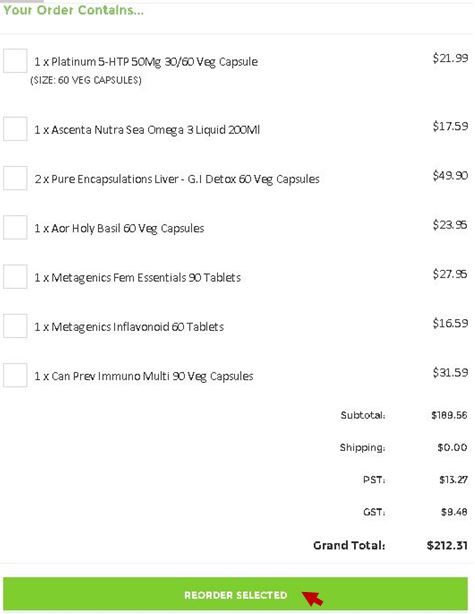
3)Select the products that you want to re order and click on the button “Reorder Selected”
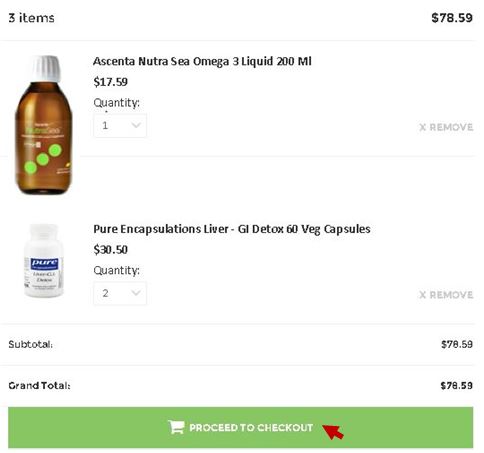
4)You will be automatically redirected to your shopping cart. To finish your purchase click on “Proceed to check out” and follow the steps.
Click here to know more about how to complete your order.